How to open a STEP file without CAD software (free STEP file viewer)
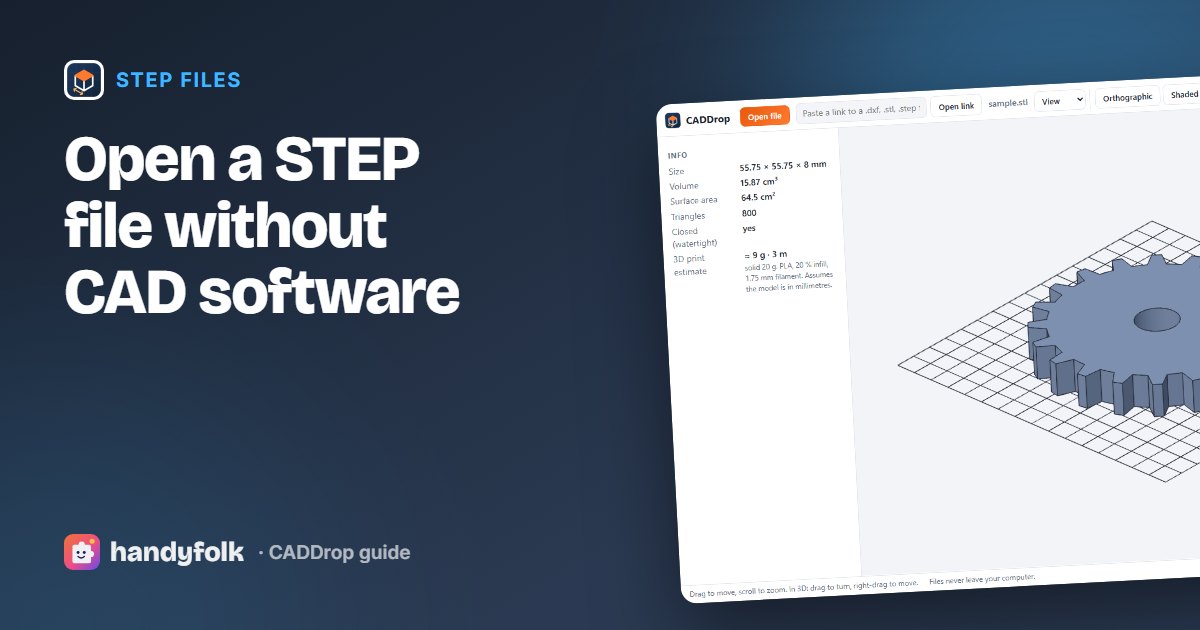
A supplier emails you a part as bracket.step, or a customer sends an assembly as .stp, and you just want to look at it. You double-click the file and Windows asks which app to use, or it opens a wall of text in Notepad. You do not own SolidWorks or Inventor, and you do not want to install a full CAD package to check one bracket. What you need is a simple STEP file viewer: something that shows the model, lets you turn it around and tells you how big it is.
This guide explains what a STEP file actually is, why your computer cannot open it out of the box, and which free tools can. We compare desktop apps, online viewers and a browser extension honestly, then walk through opening, measuring and checking a model step by step.
What is a STEP file?
STEP stands for “Standard for the Exchange of Product model data.” It is an international standard, ISO 10303, made so that 3D models can travel between different CAD programs. A part designed in SolidWorks can be saved as STEP and opened in Fusion, Inventor, FreeCAD, Onshape or almost any other CAD system. That is why suppliers, machine shops and part catalogs use it: everyone can read it.
The two file extensions, .step and .stp, mean the same thing. Inside, a STEP file is plain text. The first line usually reads ISO-10303-21;, followed by thousands of numbered lines that describe points, curves and surfaces. That is why Notepad “opens” it but shows nothing useful.
Unlike a 3D printing file such as STL, which stores a model as many small triangles, STEP stores exact geometry. A hole is a true cylinder, not a polygon with 40 sides. That makes STEP the right format for manufacturing, and also the reason it needs a proper geometry engine to display.
AP203, AP214 and AP242
STEP comes in several “application protocols” (APs). You will see them in export dialogs and sometimes in the file header. The three common ones:
- AP203 is the oldest, focused on the shape of mechanical parts and assemblies. Older AP203 files often carry geometry without colors.
- AP214 came from the automotive industry and adds colors, layers and more assembly details. It is the default in many CAD programs.
- AP242 is the newest. It merges the two and can also carry product and manufacturing information, such as dimensions and tolerances attached to the 3D model.
For simply viewing a model, the protocol rarely matters. Any decent viewer reads all three. It matters when something is missing: if a part arrives gray when you expected colors, it was probably exported as AP203.
Parts and assemblies
A STEP file can hold one part or a whole assembly: a machine with hundreds of bolts, brackets and shafts, each a separate body with its own name. Good viewers show that structure as a list, so you can pick one part, hide the rest and measure just that piece.
Why it will not open with a double-click
Windows and macOS do not ship with a program that reads STEP. The format is an engineering standard, and turning its exact surfaces into a picture on screen takes a CAD geometry kernel, which ordinary photo and 3D apps do not include. Even the Windows 3D Viewer, which Microsoft removed from the Microsoft Store in July 2026, only opened mesh formats such as STL, OBJ and glTF, not STEP. So searching for “how to open step file” usually ends with one answer: install a viewer. The good news is that several free ones exist.
Your options, compared honestly
1. FreeCAD
FreeCAD is a free, open source CAD program for Windows, macOS and Linux. It opens STEP and IGES natively, keeps the assembly structure, and has measuring tools. If you will edit models, convert them or open them often, it is the most powerful free choice. The cost is size and learning curve: it is a full CAD program, and the interface is built for designing, not for a quick look.
2. eDrawings Viewer
Dassault Systèmes, the maker of SolidWorks, offers the free eDrawings Viewer. Besides SolidWorks files, it opens STEP, STL and several other formats, and it is a solid choice on a Windows PC if you receive CAD files every week. It is a desktop install, and some features are reserved for the paid eDrawings Professional.
3. Autodesk Viewer and other online viewers
Autodesk Viewer runs in the browser and opens many formats, including STEP and DWG. It is free, but you need an Autodesk account to upload, and your file is stored on Autodesk's servers. Many other online STEP viewers work the same way: you upload the file, they convert it on their server and show the result. That is quick and needs no install. Before you use one, think about what the file is. A part from a public catalog is no problem. An unreleased product or a customer's design under NDA is something you may not be allowed to upload to a third party.
4. A 3D printing slicer
If you are going to print the part anyway, recent versions of PrusaSlicer can import STEP files directly and turn them into a printable mesh. It is a good shortcut for makers, but a slicer shows only what it needs for printing: no part names, no measuring between edges.
5. A browser extension
A viewer extension opens the file inside your browser, on your own computer. There is nothing to upload and nothing large to install. Our free extension CADDrop works this way. It uses the same open source geometry kernel that FreeCAD is built on (Open CASCADE), compiled to run inside the extension, so STEP and IGES files are read properly, not guessed.
| Option | Install | Upload | Assemblies | Measuring |
|---|---|---|---|---|
| FreeCAD | Large desktop app | No | Yes | Yes |
| eDrawings Viewer | Desktop app | No | Yes | Limited in the free version |
| Autodesk Viewer and online viewers | None | Yes, account often needed | Yes | Yes |
| Slicer (PrusaSlicer) | Desktop app | No | Merged into a print | Size only |
| CADDrop extension | Small browser extension | No | Yes, with a parts list | Size, volume, point-to-point |
Step by step: how to open a STEP file in your browser
CADDrop is free, needs no account and is available for Microsoft Edge, Firefox and Chrome. It opens STEP and STP, IGES and IGS, STL, OBJ and DXF files.
- Install CADDrop from its product page. The viewer opens in a new tab right after installing, and later whenever you click the CADDrop icon in the toolbar.
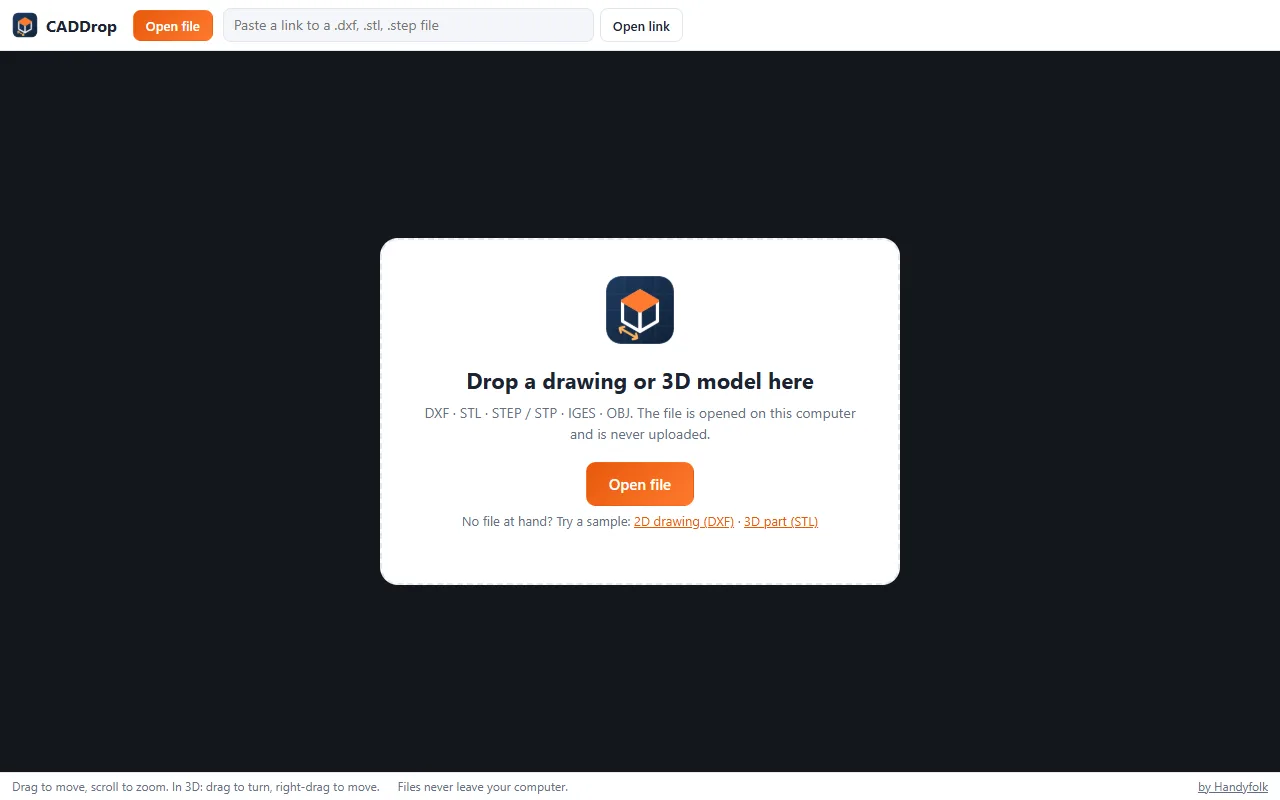
- Open the file. Drag the
.stepor.stpfile onto the page, or click Open file. If the file is on a website, paste its link into the box at the top and click Open link, or right-click the link on the website and choose Open with CADDrop. In that case CADDrop asks for access to that one site, so it can download the file. - Wait a moment. Small parts appear in a second or two. Large assemblies can take up to a minute, because the exact geometry is converted into something the screen can draw.
- Look around. Drag to turn the model, right-drag to move it and scroll to zoom. Click Fit to bring the whole model back into view.
Measure, change views and check the model
Looking is only half the job. Usually you want to know whether the part fits, how big it is or how much material it takes. Here is what you can check in the viewer:
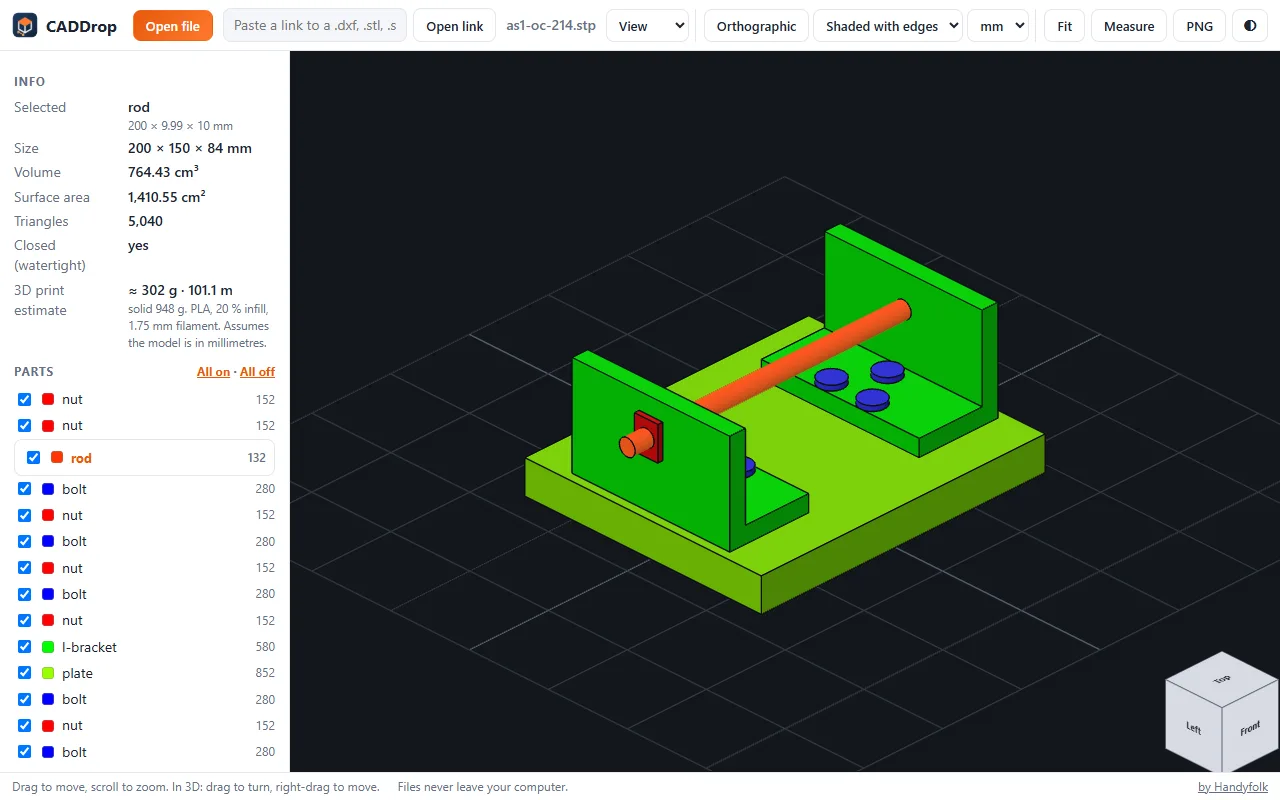
- Overall size. The Info panel shows the size of the whole model as width × depth × height, plus its volume and surface area. Switch the unit menu between mm, cm, m and inches; STEP files are read in millimetres, so the numbers stay correct whichever unit you pick.
- One part. Click a part on the model or in the Parts list to see its own size. Use Show only this part to hide everything else, untick parts to hide them, or use All on and All off.
- Distances. Click Measure, then click two points on the model to get the distance between them. Press
Escto cancel. - Views. The View menu jumps to 3D, Top, Front, Right, Back, Left or Bottom, and the view cube in the corner does the same with one click. Switch between Orthographic (no perspective, best for judging proportions) and Perspective (more natural).
- Display. Choose Shaded with edges, Shaded or Wireframe. Wireframe helps you see holes and features hidden inside a part.
- Pictures. Click PNG to save the current view as an image, to paste into an email or a quote. To print the model on paper, print that PNG. The button with the half circle switches between a light and a dark background.
- 3D printing. The Info panel also tells you whether the model is closed (watertight) and gives a rough filament estimate in grams and metres, based on PLA, 20% infill and 1.75 mm filament. Your slicer will give the exact figure, but the estimate is handy for a quick quote.
Tips and troubleshooting
The file opens in Notepad
That is normal: STEP is a text format, and Windows has no viewer for it. Open it from a STEP file viewer instead, or drag it onto the CADDrop page. If you want to know who made it, the first lines of the text show the exporting program and often the protocol (AP203, AP214 or AP242).
“This STEP/IGES file has no solid or surface geometry to show”
Some STEP files contain only wireframe curves, a parts list or product information without a 3D body. Ask the sender to export the solid model again, ideally as AP214 or AP242.
A large assembly is slow
Assemblies with hundreds of parts, or with detailed threads and fillets, take time to convert. Give it up to a minute. Closing other heavy tabs helps on older laptops. If the sender has a lighter version, such as a simplified model for customers, ask for that.
Everything is gray
The file has no colors, which is common with AP203 exports. The geometry is still complete.
The file ends in .stpz or .zip
Some systems compress STEP files. Unzip a .zip first; the viewer needs the plain .step or .stp inside.
I actually have a DWG
DWG is AutoCAD's own drawing format, not STEP, and CADDrop does not open it yet. Autodesk Viewer, or the free DWG TrueView from Autodesk, can open it. Or ask the sender to save a copy as DXF, which most CAD programs can do.
Frequently asked questions
How do I open a STEP file without CAD software?
Use a free viewer. FreeCAD and eDrawings Viewer are desktop options, Autodesk Viewer works online after you upload the file, and CADDrop opens it inside your browser without uploading anything.
Is a STP file the same as a STEP file?
Yes. .stp and .step are two extensions for the same ISO 10303 format. Any STEP file viewer opens both.
Can I open a STEP file on a Mac?
Yes. FreeCAD runs on macOS, online viewers work in any browser, and CADDrop works in Firefox, Chrome and Edge on a Mac.
Can I edit a STEP file in a viewer?
No. A viewer shows, measures and exports pictures. To change the geometry, open the file in a CAD program such as FreeCAD, Fusion or Onshape, which import STEP as a solid you can modify.
Can I convert a STEP file to STL for 3D printing?
Yes. FreeCAD can export a STEP part as STL, and PrusaSlicer can import STEP directly and prepare it for printing.
Summary
A STEP file is the universal language of CAD: exact 3D geometry, often a whole assembly, saved as text according to ISO 10303. Your computer cannot open it on its own, but you do not need a paid CAD license either. FreeCAD is the strongest free desktop option, eDrawings Viewer suits Windows users who receive CAD files regularly, and online viewers are fine for files you are allowed to upload. If you just want to know how to open a STEP file quickly and keep it on your computer, a browser STEP file viewer such as CADDrop shows the model, its parts and its size in a few seconds.